Computer classe for 12 th completed students and for college students 4000 *DURATION 30 days*
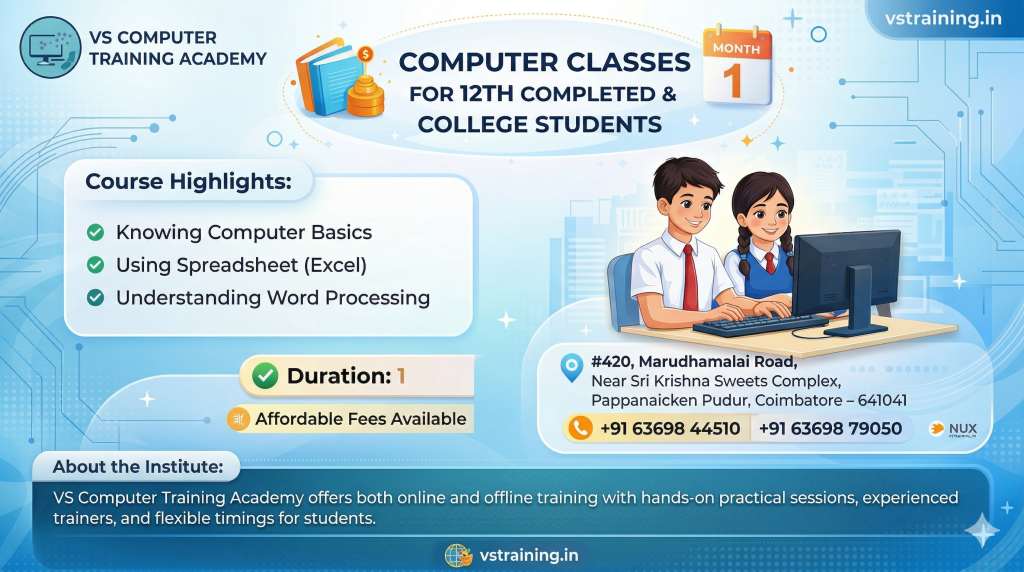
Computer Classes for 12th Completed & College Students
The Computer Classes for 12th Completed and College Students at VS Computer Training Academy are designed to equip learners with advanced computer skills required for higher education, internships, and job opportunities. This course focuses on practical knowledge, productivity tools, and essential digital skills that are highly demanded in today’s competitive environment.
As students step into college or prepare for careers, having strong computer skills becomes crucial. This program helps learners gain confidence in using modern tools and technologies needed for academic and professional success.
Course Overview
This course offers comprehensive training in key computer applications and digital tools. It is structured to help students work efficiently on academic projects, presentations, data handling, and communication tasks.
What You Will Learn
- Advanced Computer Fundamentals
- Operating System (Windows) – Advanced Features
- MS Word (Professional documents, reports, formatting)
- MS Excel (Formulas, functions, data handling, basics of analysis)
- MS PowerPoint (Advanced presentations and design)
- Internet & Research Skills
- Email & Professional Communication
- Introduction to Digital Productivity Tools
Course Duration & Fees
Duration: 30 Days
Course Fee: ₹4000
Teaching Methodology
- Practical-oriented training
- Real-time assignments and projects
- Step-by-step structured learning
- Individual attention and mentoring
- Doubt clearing sessions
Why Choose This Course?
- Designed for college-level and career readiness
- Focus on practical and job-oriented skills
- Helps in academic projects and presentations
- Builds confidence in professional environments
- Experienced trainers and updated curriculum
Benefits for Students
- Improves academic performance and project quality
- Enhances presentation and communication skills
- Builds strong computer proficiency
- Prepares for internships and job opportunities
- Increases productivity and efficiency
Who Can Join?
- Students who have completed 12th standard
- College students (any stream)
- Beginners and intermediate learners
- Job seekers looking to improve computer skills
Step into Your Career with Confidence
Join VS Computer Training Academy and gain the practical computer skills needed for college success and career growth.
📞 Contact: +91 63698 44510 / +91 63698 79050
📍 Location: Coimbatore
Course Syllabus
Module
1.0 Introduction
1.1 Objectives
1.2 What is Computer?
1.3 Basic Applications of Computer
1.4 Components of Computer System
1.5 Central Processing Unit
1.6 Keyboard, mouse and VDU
1.7 Other Input devices
1.8 Other Output devices
1.9 Computer Memory
1.10 Concept of Hardware and Software
1.11 Hardware
1.12 Software
1.13 Application Software
1.14 Systems software
1.15 Concept of computing, data and information
1.16 Connecting keyboard, mouse, monitor and printer to CPU
1.17 Checking power supply
1.18 Summary
2. OPERATING COMPUTER USING GUI BASED OPERATING SYSTEM
2.0 Introduction
2.1 Objectives
2.2 Basics of Operating System
2.3 Operating system
2.4 Basics of popular operating system (LINUX, WINDOWS)
2.5 The User Interface
2.6 Task Bar
2.7 Icons
2.8 Menu
2.9 Running an Application
2.10 Operating System Simple Setting
2.11 Changing System Date And Time
2.12 Changing Display Properties
2.13 To Add Or Remove A Windows Component
2.14 Changing Mouse Properties
2.15 Adding and removing Printers
2.16 File and Directory Management
2.17 Creating and renaming of files and directories
2.18 Common utilities
2.19 Summary
3. UNDERSTANDING WORD PROCESSING
3.0 Introduction
3.1 Objectives
3.2 Word Processing Basics
3.3 Opening Word Processing Package
3.4 Menu Bar
3.5 Using The Help
3.6 Using The Icons Below Menu Bar
3.7 Opening and closing Documents
3.8 Opening Documents
3.9 Save and Save as
3.10 Page Setup
3.11 Print Preview
3.12 Printing of Documents
3.13 Text Creation and manipulation
3.14 Document Creation
3.15 Editing Text
3.16 Text Selection
3.17 Cut, Copy and Paste
3.18 Spell check
3.19 Thesaurus
3.20 Formatting the Text
3.21 Font and Size selection
3.22 Alignment of Text
3.23 Paragraph Indenting
3.24 Bullets and Numbering
3.25 Changing case
3.26 Table Manipulation
3.27 Draw Table
3.28 Changing cell width and height
3.29 Alignment of Text in cell
3.30 Delete / Insertion of row and column
3.31 Border and shading
3.32 Summary
3.33 Model Answers
4. USING SPREAD SHEET
4.0 Introduction
4.1 Objectives
4.2 Elements of Electronic Spread Sheet
4.3 Opening of Spread Sheet
4.4 Addressing of Cells
4.5 Printing of Spread Sheet
4.6 Saving Workbooks
4.7 Manipulation of Cells
4.8 Entering Text, Numbers and Dates
4.9 Creating Text, Number and Date Series
4.10 Editing Worksheet Data
4.11 Inserting and Deleting Rows, Column
4.12 Changing Cell Height and Width
4.13 Formulas and Function
4.14 Using Formulas
4.15 Function
4.16 Summary
5. INTRODUCTION TO INTERNET, WWW AND WEB BROWSERS
5.0 Introduction
5.1 Objectives
5.2 Basic of Computer Networks
5.3 Local Area Network (LAN)
5.4 Wide Area Network (WAN)
5.5 Internet
5.6 Concept of Internet
5.7 Applications of Internet
5.8 Connecting to the Internet
5.9 Troubleshooting
5.10 World Wide Web (WWW)
5.11 Web Browsing Softwares
5.12 Popular Web Browsing Softwares
5.13 Search Engines
5.14 Popular Search Engines / Search for content
5.15 Accessing Web Browser
5.16 Using Favorites Folder
5.17 Downloading Web Pages
5.18 Printing Web Pages
5.19 Understanding URL
5.20 Surfing the web
6. COMMUNICATIONS AND COLLABORATION
6.0 Introduction
6.1 Objectives
6.2 Basics of E-mail
6.3 What is an Electronic Mail
6.4 Email Addressing
6.5 Using E-mails
6.6 Opening Email account
6.7 Mailbox: Inbox and Outbox
6.8 Creating and Sending a new E-mail
6.9 Replying to an E-mail message
6.10 Forwarding an E-mail message
6.11 Sorting and Searching emails
6.12 Document collaboration
6.13 Instant Messaging and Collaboration
6.14 Using Instant messaging
6.15 Instant messaging providers
6.6 Summary
7. MAKING SMALL PRESENTATIONS
7.0 Introduction
7.1 Objectives
7.2 Basics
7.3 Using PowerPoint
7.4 Opening A PowerPoint Presentation
7.5 Saving A Presentation
7.6 Creation of Presentation
7.7 Creating a Presentation Using a Template
7.8 Creating a Blank Presentation
7.9 Entering and Editing Text
7.10 Inserting And Deleting Slides in a Presentation
7.11 Preparation of Slides
7.12 Inserting Word Table or An Excel Worksheet
7.13 Adding Clip Art Pictures
7.14 Inserting Other Objects
7.15 Resizing and Scaling an Object
7.16 Presentation of Slides
7.17 Viewing A Presentation
7.18 Choosing a Set Up for Presentation
7.19 Printing Slides And Handouts
7.20 Slide Show
7.21 Running a Slide Show
7.22 Transition and Slide Timings
7.23 Automating a Slide Show
7.24 Summary